
THE CONNECTIONS BEHIND YOUR BUSINESS
Plan a VPS Around Your Workload
Compare operating systems, virtual resources, management and recovery without relying on a historical plan name.
A virtual private server gives an application an allocated virtual environment. The useful question is whether its operating system, resources and management model fit your workload. An old URL containing8vCPU/16GB is a historical label, not a current plan offer.
Start here
| Requirement | Evidence to collect |
|---|---|
| Particular runtime or Windows dependency | Supported OS/image and exact application requirements |
| Large database or cache | Measured working set, peak memory and growth |
| Background jobs | CPU use, job duration, concurrency and permitted processes |
| Busy storefront | Request latency, database behavior, write consistency and recovery needs |
| System administration | Actual control/access and who patches, monitors and responds |
Read the resource names correctly
A vCPU is a virtual processor allocation, not an assurance that you exclusively own an equivalent physical core. RAM helps when the working set needs it; adding RAM does not repair a slow query or inefficient application. Storage capacity, latency, throughput and recovery needs should be considered separately. Check published limits and the service contract instead of making performance guarantees.
The legacy sizes1/2/4/8/32vCPU and2/8/16/128GB describe historical offerings. Use actual measurements to compare options; this page does not assert that those combinations remain purchasable.
A practical sizing example
A WordPress application becomes slow during scheduled imports. First compare import timing with database load, memory use, storage activity and request latency. A larger RAM figure is useful only if memory pressure is part of the evidence. If an external service is slow or the job performs serial work, buying more CPU may not address the bottleneck.
Document normal and peak behavior. Include backup space and growth, but do not invent a universal sizing multiplier. Test the target with representative data in an authorized environment rather than promising a capacity from this example.
Management is a responsibility matrix
| Task | What to confirm |
|---|---|
| OS updates | Provider versus customer ownership and maintenance window |
| Application/database updates | Who schedules and tests them |
| Backup and restoration | Retention, off-server copy and tested restore |
| Monitoring | What is measured and who acts on alerts |
| Recovery/access | Available control path if the application is down |
A managed label alone does not resolve these questions. Record what is included before migrating.
Migrate with a recovery path
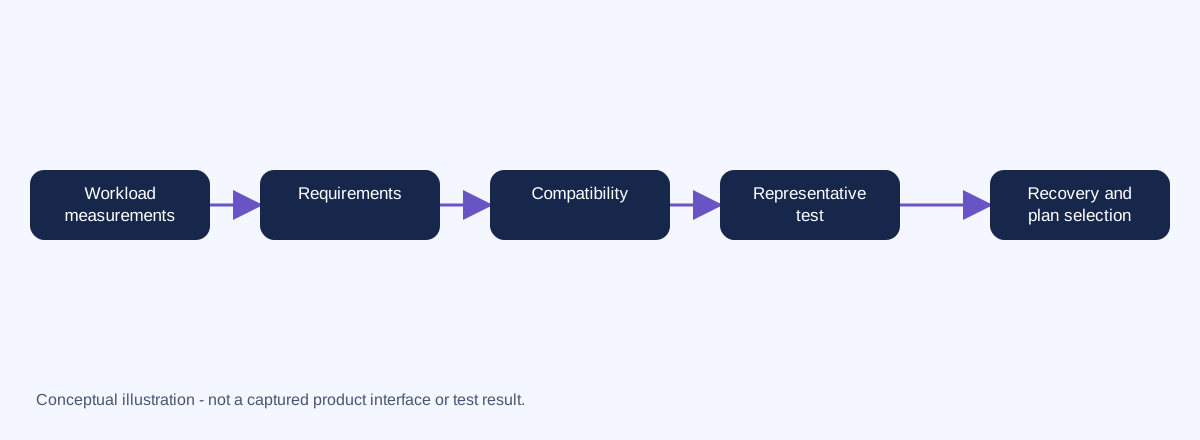
Preserve application/database backups and current DNS/mail records. Test hostname/TLS behavior and scheduled jobs before changing public records. Plan database writes across cutover; a DNS rollback cannot reconcile two divergent databases. Keep the original environment until acceptance.
Use the existing Hosting Advisor for category guidance. No VPS purchase CTA is included until current reseller availability, OS and management scope are verified.
Provider hosting-type reference. Current OS, availability and management scope must be confirmed before any purchase.