
THE CONNECTIONS BEHIND YOUR BUSINESS
DNS Explained: A, CNAME, MX, TXT and NS Records
Understand DNS record types, website and email dependencies, authoritative answers, caches and safe troubleshooting.
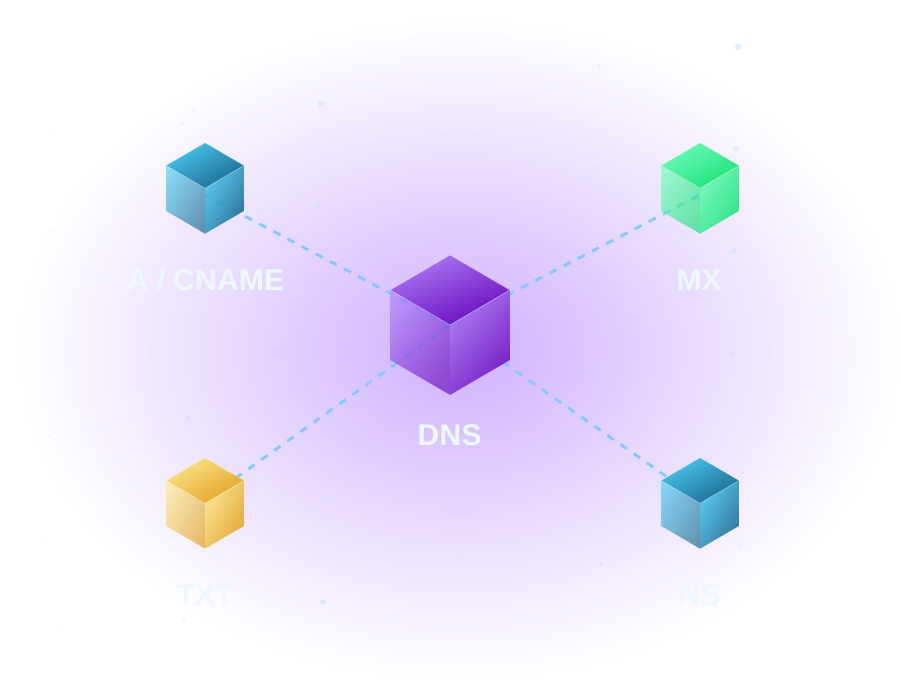
A domain can serve a website, receive email, and prove that you control an online service. Those jobs share a name, but they do not all use the same DNS record. Understanding that separation is the first step toward avoiding a familiar problem: changing a website and unexpectedly losing business email.
This guide explains what to look for. It is not a provider-specific setup recipe. The values below use reserved example names and documentation addresses; your real values must come from the services you use.
Start here - two-minute diagnosis
| Symptom | Read first | What the evidence can show |
|---|---|---|
| Website points somewhere unexpected | A/AAAA and authoritative DNS | Published destination; not whether the application accepts this host |
| www behaves differently | CNAME and HTTPS hostname coverage | Alias versus redirect, and which hostname the server must recognize |
| Incoming mail fails | MX plus provider-required authentication/service records | Published mail routing; not mailbox existence |
| Edited records have no visible effect | NS/delegation and caching | Whether you edited the correct authority or are seeing cached data |
| A verification check fails | Exact record name/type/value | A missing or wrongly placed token; do not delete unrelated records |
Read-only Windows queries
Replace your-domain.example with a domain you are authorized to investigate.
Resolve-DnsName your-domain.example -Type NS
Resolve-DnsName your-domain.example -Type A
Resolve-DnsName your-domain.example -Type AAAA
Resolve-DnsName www.your-domain.example -Type CNAME
Resolve-DnsName your-domain.example -Type MX
NS names identify published authority. A/AAAA expose IPv4/IPv6 destinations. A CNAME answer is an alias, not an HTTP redirect. MX includes preference and destination. Some hosts have no AAAA or www CNAME, so a missing record is not automatically a fault. Distinguish NXDOMAIN (name not found), no requested record data, timeout and SERVFAIL rather than treating all failures as a blank zone.
These queries use your configured resolver unless a server is specified. Compare the selected authority’s configuration and, when appropriate, query a confirmed authoritative server with the same record type. One answer is not proof that all caches agree. A provider/CDN may return multiple or varying addresses legitimately.
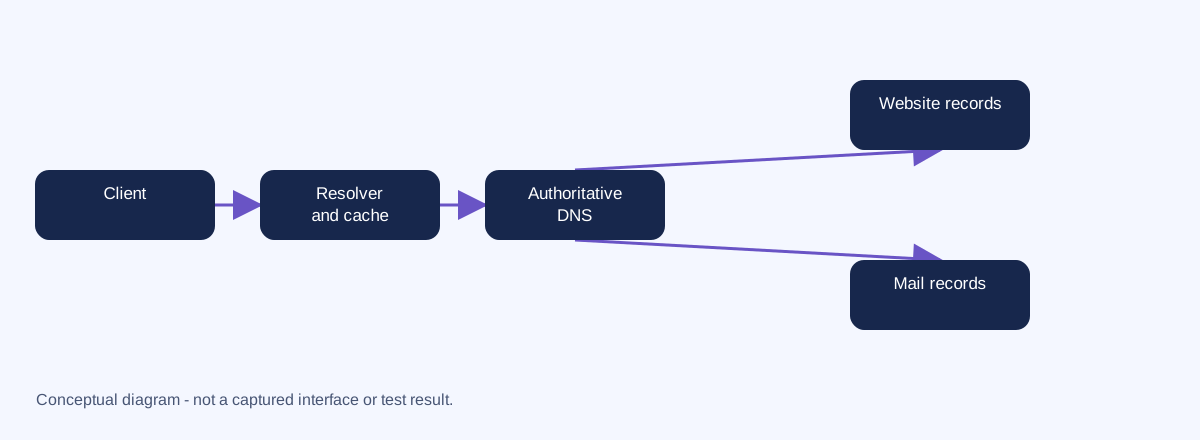 This simplified diagram shows record responsibilities; it omits root/TLD referral steps and is not a captured query.
Start with the right map
A registrar manages your domain registration. An authoritative DNS provider publishes its DNS records. Your website host serves the website, and your email provider runs the mail service. One company may do several jobs, but the jobs remain separate.
Before editing anything, identify which nameservers are authoritative and where that DNS zone is managed. A DNS editor in the wrong account can look convincing while having no effect on public answers. Keep registration access and DNS access documented as separate responsibilities. RFC 1034 explains zones and authoritative service.
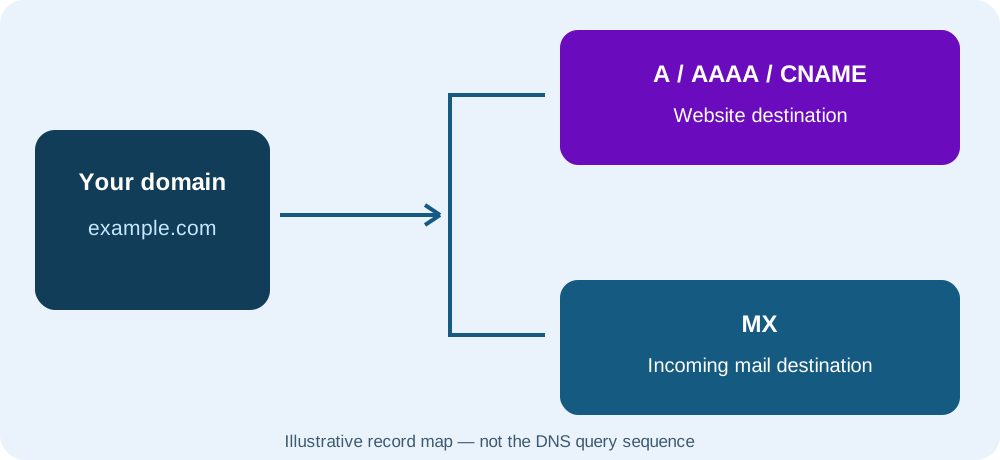
Illustrative record map, not the sequence of a recursive DNS lookup. It shows that website and incoming email destinations are separate.
Read a record before changing it
Most DNS editors present four useful fields:
- Name or host: the label being configured. An editor may use
@for the zone apex, such asexample.com, andwwwforwww.example.com. - Type: the record’s purpose, such as A or MX.
- Value or target: the address, hostname, or text that the record contains.
- TTL: a time-to-live value, expressed in seconds, that governs caching of the answer.
Editors differ: some append the zone name automatically, while others expect a full hostname. A trailing dot in a zone-file hostname marks an absolute name. Confirm the editor’s conventions instead of assuming that its fields match an example on another website.
A record table is an inventory, not a list of interchangeable settings. Record names used for verification or email authentication may contain underscores even though an ordinary website hostname is usually written with letters, digits, and hyphens. Cloudflare’s field reference describes those distinctions.
A records: point a name at IPv4
An A record maps a name to an IPv4 address. An AAAA record performs the corresponding role for IPv6. Neither value should be a complete URL with https://, a port, or a page path.
Illustrative zone-file syntax:
example.com. 3600 IN A 192.0.2.10Here, 192.0.2.10 is a documentation address, not a website to use. A host may supply different requirements, including IPv6 or a hostname-based connection. If a site has both A and AAAA records, inspect both; changing only IPv4 can leave IPv6 visitors reaching a different destination. The A record format is specified in RFC 1035; example address ranges are reserved by RFC 5737.
CNAME records: give a name an alias
A CNAME record points one name to another hostname rather than directly to an address.
www.example.com. 3600 IN CNAME example.com.This means www.example.com is an alias of example.com. It is not an HTTP redirect and does not by itself choose HTTPS or move visitors to a particular page. The website service still needs to recognize the requested hostname and have the appropriate certificate.
A standard CNAME cannot coexist with other ordinary record data at the same name. That makes a conventional CNAME unsuitable at the zone apex, which already needs SOA and NS data. Some DNS providers offer flattening or vendor-specific alias features; those are not permission to copy an ordinary CNAME everywhere. Do not create an MX or NS target that is itself a CNAME. Cloudflare’s CNAME explanation covers these constraints.
MX records: route incoming email
An MX record identifies a mail-exchanger hostname and includes a preference number. Lower preference values are tried before higher ones; multiple MX records are not simply a list of unrelated email providers you can combine.
example.com.  3600  IN  MX  10 mail.example.com.
mail.example.com.  3600  IN  A  192.0.2.20
This is an explanation of the record relationship, not a working mail setup. It does not configure a mailbox, outgoing mail, spam filtering, or authentication. Real mail-provider targets and priorities must be copied from that provider’s current setup instructions.
A website move often changes A or CNAME records without requiring an MX change. A nameserver move is broader: if the new authoritative zone lacks the mail records, email can fail even though the website is reachable. Inventory MX plus provider-required TXT, CNAME, and service records before evaluating a move. Cloudflare’s email DNS guide describes mail-specific record requirements.
TXT records: publish purpose-specific text
A TXT record stores text used by many services, including domain verification and email authentication. A record’s name and content are both significant; not every TXT record belongs at the apex.
example.com. 3600 IN TXT "verification-example=not-a-real-token"This is deliberately a nonfunctional sample. A real verification token must come from the requesting service. DKIM or verification may instead use CNAME records depending on the provider. Do not delete a TXT record merely because its purpose is not obvious; identify the owning service first. The underlying TXT record structure is defined in RFC 1035.
NS records: identify authority
NS records name the authoritative servers for a zone. Changing the domain’s nameserver delegation at the registrar can move control of the entire zone—not just the website. Adding a nameserver-looking record in an unrelated DNS editor does not necessarily change that parent delegation.
A delegation to new nameservers deserves its own migration plan: a complete zone inventory, account access checks, and a review of DNSSEC settings with the DNS provider. Do not remove an existing delegation or DNSSEC setting based on this conceptual guide. Cloudflare’s NS explanation describes their authoritative role.
TTL: caches do not change in unison
DNS answers can be cached for their TTL. A change at the authoritative server does not instantly replace an answer that another resolver already cached. Lowering a TTL now does not retroactively shorten an earlier cached answer’s lifetime.
There is no universal fixed “propagation” countdown for every situation. Different record types, resolvers, delegation changes, and negative answers can affect what a customer observes. Compare the answer you see with the intended authoritative configuration before deciding a change failed. Cloudflare’s TTL reference explains the caching behavior.
A practical review sequence
These are planning and observation steps, not approved change instructions:
- List the services. Record who manages registration, DNS, the website, and email. Keep secrets out of any shared inventory.
- Save the current zone inventory. Include record names, types, values, and TTLs. Identify unfamiliar entries with the relevant provider.
- Separate the intended change. “Move the website” is different from “change authoritative DNS.” Write down which service must change and which must continue working.
- Obtain current provider values. Do not reuse sample IPs, verification strings, or a previous customer’s settings.
- Plan validation and rollback. Decide how you will check the website, HTTPS, inbound/outbound email, and any verification-dependent services before an authorized change.
For a read-only investigation, Windows provides nslookup. An illustrative query is:
nslookup -type=MX example.comIt requests MX answers; it does not alter DNS. The example domain may not have a useful MX answer. Your chosen resolver and its cache influence the response. No query output is shown here because we have not tested or recorded a provider-specific procedure. Microsoft documents the command’s usage.
Keep the next step focused
If you are registering a new name, start with domain options. If you are building or moving a site, use the hosting buying guide to define what you need before choosing a plan. For customer access and product questions, visit customer resources.
Worked diagnosis: resolver and authority disagree
This is a constructed, realistic example, not a captured CubixDomains DNS test. Names and addresses use reserved documentation values.
A business changes its website A record. A visitor still reaches the old host. First confirm the delegated nameservers and query a known recursive resolver and a confirmed authoritative server for the same name/type.
# Replace the domain and BOTH server addresses with your actual authorized values.
Resolve-DnsName business.example -Type A -Server 192.0.2.53 -DnsOnly
Resolve-DnsName business.example -Type A -Server 198.51.100.53 -DnsOnly -NoRecursion
In this illustration, 192.0.2.53 represents the recursive resolver and 198.51.100.53 the confirmed authoritative server. These are not working DNS servers to use.
| Observation source | Illustrative A answer | Illustrative TTL |
|---|---|---|
| Recursive resolver | 192.0.2.10 (old website) | 742 seconds remaining |
| Confirmed authoritative server | 198.51.100.20 (intended new website) | 3600 seconds |
The difference is consistent with a cached old answer; it is not proof by itself. Check that the authority is one of the currently delegated servers and compare other authoritative servers for consistency. Provider geolocation or split-view DNS can also vary answers legitimately.
Next investigation: record the observation time, verify the intended zone change and prior TTL, inspect AAAA and www separately, then recheck after the relevant cache interval. Do not repeatedly edit the record to chase cached answers. A delegation mismatch or SERVFAIL requires authority/DNSSEC investigation with the provider; do not turn off DNSSEC merely because one resolver fails.
Microsoft query-server and non-recursive options.
Change boundary and rollback
Reading DNS is different from editing a zone. Before an authorized edit, record the previous name, type, value, TTL, provider and time. Save the complete zone privately when changing nameservers. Account for DNSSEC delegation/DS coordination with the provider; do not casually disable protection.
Restoring a record does not instantly clear caches. Restoring nameservers also does not repair website files or move mailbox data. Agree on observable web, HTTPS and mail acceptance criteria, preserve the old service until accepted, and stop repeated edits if the evidence is inconsistent.
Eddie’s Field Notes - fictional exchange
“The CNAME is in. Why hasn’t the browser moved to the new page?”
“An alias isn’t a redirect, Eddie.”
DNS resolves names. HTTP handles redirects; the server still needs to recognize the requested hostname.
Official references
Documentation checked 2026-10-18. Examples use reserved names and addresses; replace placeholders only for systems you are authorized to manage. Interfaces and included features depend on your provider and account.
WHEN IT FITS YOUR NEXT STEP
Explore domain registration for your next step.
Search domain names for your business, side project or personal website. Compare extensions and check availability before you register.