
THE CONNECTIONS BEHIND YOUR BUSINESS
When a Dedicated Server Fits
Understand physical versus virtual allocations, operating responsibilities and evidence-based server planning.
A dedicated physical server can provide a particular hardware allocation and operating environment. That does not by itself provide application management, a tested backup or unlimited network capacity. Compare the operational responsibility as carefully as the hardware.
Start here
| Why you are considering a server | What to establish first |
|---|---|
| Hardware or OS requirement | Supported hardware/image, drivers and licensing |
| Isolation requirement | What is dedicated and what network/control services remain shared |
| Sustained compute demand | Representative workload measurements |
| Large data set | Capacity, latency, redundancy and restoration requirements |
| Administration/control | Access, maintenance and recovery responsibilities |
Hardware figures need context
Physical cores, simultaneous threads and vCPU allocations are not interchangeable purchasing units. Memory capacity should fit the actual application/database working set. SSD/NVMe labels do not specify every storage or workload limit. Redundant disks are not a replacement for a separate recoverable backup.
Historical pages mention4core/32GB and16core/256GB configurations. Preserve the visitor’s capacity question, but do not present those figures as current Cubix inventory or guaranteed throughput.
Compare the management boundary
Ask who installs and patches the OS, updates the application, monitors failures, manages certificates and restores data. Confirm emergency access and the actual scope of provider assistance. Windows compatibility/licensing needs its own verification; a Linux server is not an equivalent migration target for a Windows-only application.
A useful example
A business runs an application with a large database and nightly exports. Measure the database working set, export duration, disk activity and recovery time needed. Decide whether the problem is memory pressure, storage contention, application design or an external dependency. Then compare available environments. This example does not conclude that a dedicated server is always better than a VPS.
Recovery before cutover
Record the restoration procedure and who can execute it. Keep backups outside the same failure boundary where practical. Test restoration with authorized data, and decide what happens to new submissions or database writes if cutover is reversed.
Next step
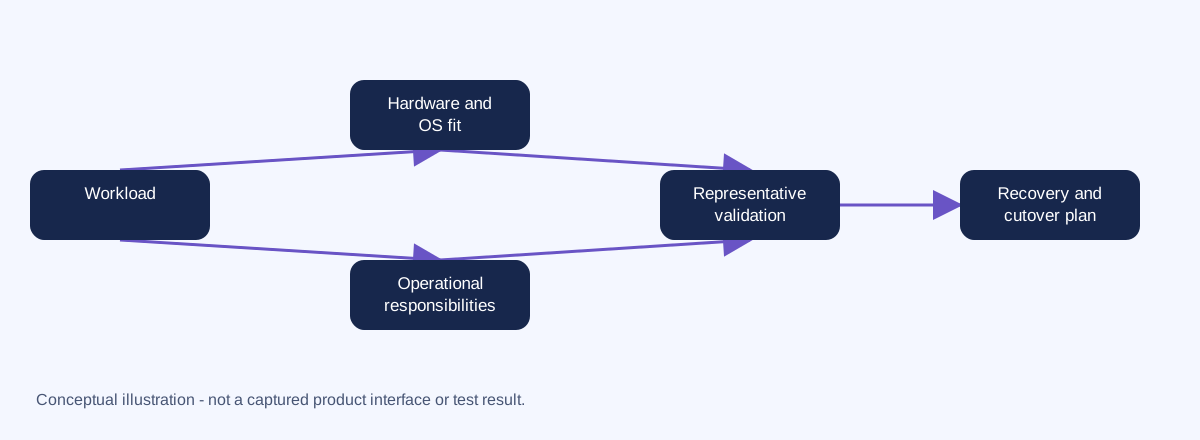
Make a written requirements and responsibility checklist before choosing a server. The Hosting Advisor can identify when ordinary shared hosting is unsuitable; it cannot certify an unverified server SKU. No dedicated-server or consulting purchase CTA is included.
Provider hosting-type reference. Current OS, specifications and management terms must be confirmed before purchase.
VPS versus dedicated hardware
A VPS is a virtual allocation on a host; a dedicated-server product typically allocates physical hardware to one customer. That difference does not establish whether applications are managed, whether the network is shared, or whether backups are independent. Compare the actual service contract and recovery controls.
| Compare | VPS | Dedicated server |
|---|---|---|
| Resource model | Virtual allocations; limits and contention depend on service | Physical hardware allocation; configuration and service limits still matter |
| Capacity change | May involve resizing/restarts or migration | May require hardware change or a replacement server |
| Administration | Defined by managed/unmanaged agreement | Also defined by managed/unmanaged agreement |
| Recovery | Requires a tested data/restore plan | Also requires a tested data/restore plan |
Choose based on evidence, not an assumption that physical hardware automatically fixes application bottlenecks.